3 posts tagged with "Tech Talk"

'Sharing glimpses into our work on Electron'

View All Tags

A Faster Electron

· 14 min read

We've spent the last few releases making Electron faster. The work covers startup, IPC, contextBridge, networking, module loading, and raw JavaScript throughput, and it applies to every app that runs on Electron. It ships today in Electron 42.3.3, 43.0.0-beta.1, and 44.0.0-nightly.20260603.
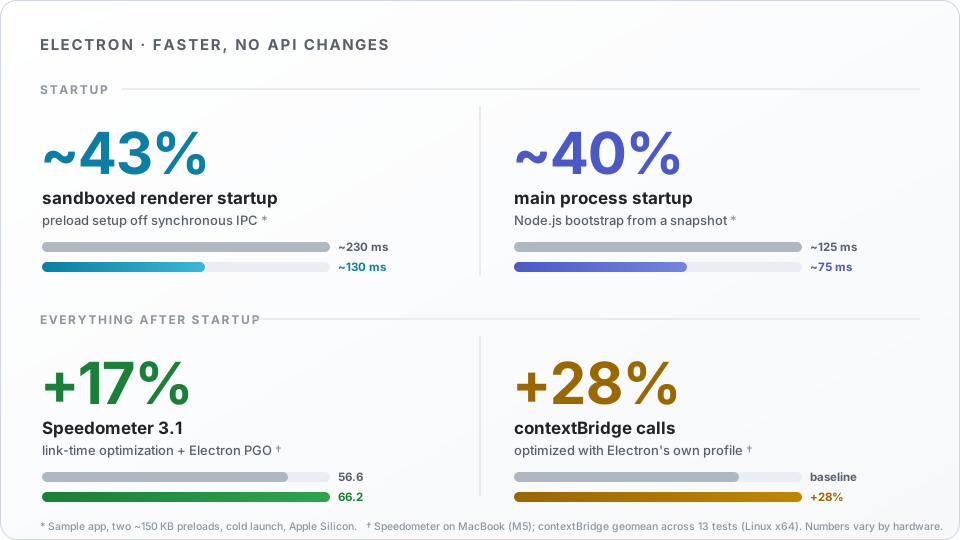
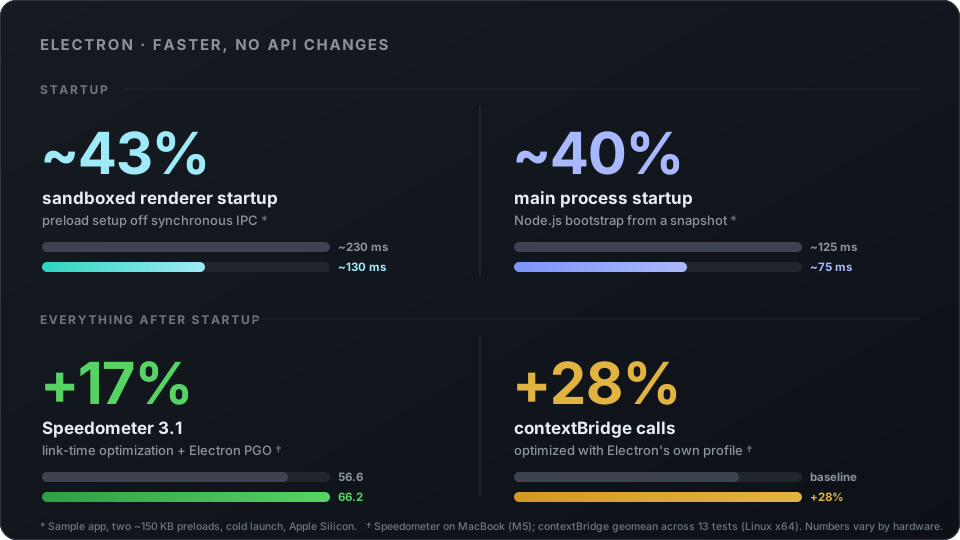
Electron performance improvements. Startup: sandboxed renderer startup drops from about 230 ms to about 130 ms (about 43%); main-process startup drops from about 125 ms to about 75 ms (about 40%). Everything after startup: Speedometer 3.1 on an M5 MacBook rises from 56.6 to 66.2 (about 17%); contextBridge calls are about 28% faster overall.Electron performance improvements. Startup: sandboxed renderer startup drops from about 230 ms to about 130 ms (about 43%); main-process startup drops from about 125 ms to about 75 ms (about 40%). Everything after startup: Speedometer 3.1 on an M5 MacBook rises from 56.6 to 66.2 (about 17%); contextBridge calls are about 28% faster overall.

The short version: sandboxed renderers start up ~43% faster, the main process boots ~40% faster, and Electron's compiled code got quicker across the board. Speedometer is up ~17%, contextBridge calls are up 28-50%, and networking is up 19-40%. You don't have to change a line of your app to get any of this.

This post is in two parts. The first is startup: three changes that shrink the time between launching an app and seeing pixels. The second is everything after startup, and it begins with the discovery that Electron's release builds have spent years borrowing Chrome's compiler optimization data, which is almost, but not quite, right for Electron.

Tech Talk: How Electron went Wayland-native, and what it means for your apps

· 13 min read
info

Tech talks are a new blog post series where we share glimpses into our work on Electron. If you find this work interesting, please consider contributing!

When Electron switched to Wayland on Linux last fall, most people didn't notice.

Major Linux distributions adopted the modern display protocol years ago, and both the KDE Plasma and GNOME desktop environments are in the process of dropping X11 support completely.

But a platform migration isn't complete without apps, and a large part of the Linux app ecosystem went through a second Wayland transition last August — well after most distros had changed their defaults. That's when Chromium turned on Wayland by default, bringing Electron and dozens of Linux desktop apps along with it.

Tech Talk: Improving Window Resize Behavior

· 16 min read

We're launching a new blog post series where we share glimpses into our work on Electron. If you find this work interesting, please consider contributing!


Recently, I worked on improving Electron and Chromium's window resize behavior.

The bug

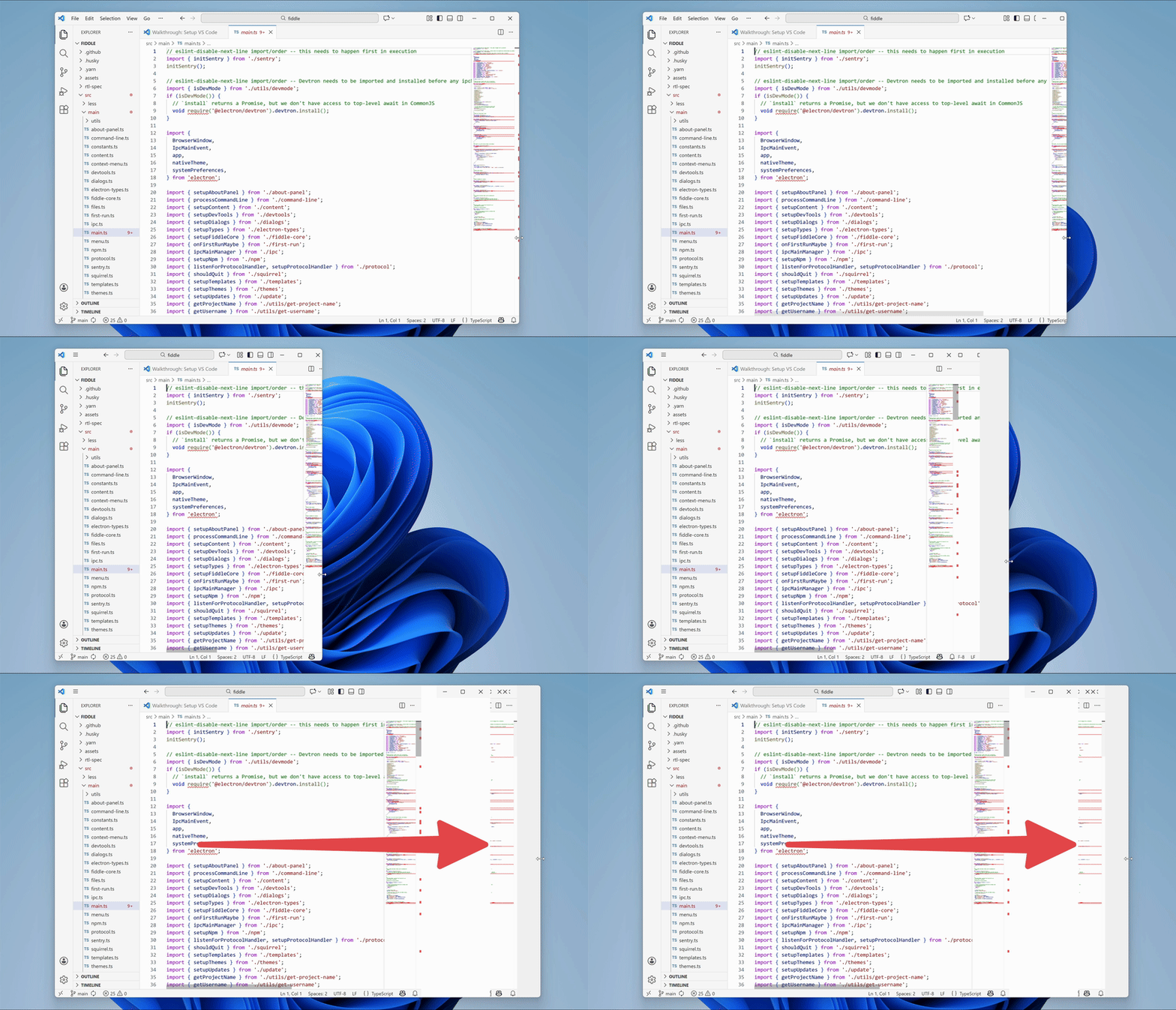
We were seeing an issue on Windows where old frames would become visible while resizing a window:

Animated GIF showing the issue where old frames would be shown while resizing windows

What made this bug particularly interesting?

  1. It was challenging.
  2. It was deep in a large codebase.
  3. As you'll see later, there were two different bugs under the hood.

Fixing the bug

With a bug like this, the first challenge is figuring out where to start looking.

Electron builds upon Chromium, the open source version of Google Chrome. When compiling Electron, Electron's source code is added into the Chromium source tree as a subdirectory. Electron then relies on Chromium's code to provide most of the functionality of a modern browser.

Chromium has about 36 million lines of code. Electron is a large project, too. That is a lot of code that could be causing this issue.